Let’s Encrypt inspired trouble, part 3

Again with the random breakage; I just so dearly love that this shit happens when I’d rather be working on anything but.

The problem is still that Nextcloud Desktop file sync barks every 30 seconds that the chain of trust is broken. Also, Thunderbird is barking the same, but at least it only barks every 5 minutes.

As stated before, I’m angry that Let’s Encrypt started signing and issuing certificates with certificate chains that are invalid because they didn’t wait for the ca-certificates bundle to include their new root certs.


Part of the problem rests with the ACME client on pfSense. I’ve configured the option to request a fullchain from Root X2, but the ACME client doesn’t include that in the request.

I’ve just regenerated all the certificates using the ACME client on the pfSense machine.

The ACME client is requesting Root X2:

/usr/local/pkg/acme/acme.sh  --issue (wildcard_name) --dnssleep '180' --preferred-chain ''\''ISRG Root X2'\''' --log-level 3 --log '/tmp/acme/wildcard_name/acme_issuecert.log'

But nowhere is ISRG Root X2 mentioned in the log file. The wildcard .cer file I do get is issuer=C=US, O=Let’s Encrypt, CN=YR1, but its root is issuer=C=US, O=Internet Security Research Group, CN=ISRG Root X1

I’ve downloaded all the files. Furthermore, I ran the following on the fullchain.cer file: openssl crl2pkcs7 -nocrl -certfile fullchain.cer | openssl pkcs7 -print_certs -noout, and got this:

openssl crl2pkcs7 -nocrl -certfile fullchain.cer | openssl pkcs7 -print_certs -noout
issuer=C=US, O=Let's Encrypt, CN=YR2

subject=C=US, O=Let's Encrypt, CN=YR2
issuer=C=US, O=ISRG, CN=Root YR

subject=C=US, O=ISRG, CN=Root YR
issuer=C=US, O=Internet Security Research Group, CN=ISRG Root X1

and CN=ISRG Root X1 is the problem. The certificate chain won’t validate until Root X2 is in the chain or Root Y2 is in the chain.

So I’m damned if I do, and I’m damned if I don’t. The ACME client is prevented from getting the chain.pem file that refers to root certificate the certificate is signed by, and Let’s Encrypt won’t supply the the chain.pem file on their website for download.


The actual problem was solved thusly1:

As it turns out, pfSense has two locations where the ACME script puts things.

  • /tmp/acme/<name>
  • /cf/conf/acme/<name_slightly_different>

The /cf directory has the Y2 chain files, while the /tmp directory has the root X1 signed wildcard certificate that refers to a Y2 intermediate.

Okay, getting the files from /cf/conf/acme/<name_slightly_different> is the way to go. Unfortunately, we’re back to the problem that the root Y2 certificate isn’t trusted.

So the first half of the problem is solved by getting all files from pfSense that are in the /cf/conf/acme directory and putting those on the Nextcloud server.

The second half of the problem is that this certificate chain points to a root your local machine doesn’t trust, because the root.pem is not in the local machine’s trust store.

Thankfully, this is solved by going here: Chains of Trust and choosing:

ISRG Root YR

Subject: C=US, O=ISRG, CN=Root YR
Key type: RSA 4096
Certificate details (self-signed): der, pem, txt

That “self-signed” warning sounds ominous, but the pem certificate is the one that works.

Download the file root-yr.pem and run these two commands:

sudo cp root-yr.pem /usr/local/share/ca-certificates/root-yr.crt
sudo update-ca-certificates

After rebooting my machine, I’m no longer getting barked at by Nextcloud Desktop file client sync that chain of trust cannot be trusted.

  1. Well, it is “solved” until a random update shits on the root-yr.pem file in my local trust store again. ↩︎

End of an era for me

Yesterday was my last day of work for my employer. I am officially retired, after 37 years of “Doing computers” for them.

Mildly interesting, I also got an email from past me via https://www.futureme.org/:

The following is a letter from July 26, 2021, delivered from the past by FutureMe
Dear FutureMe,

Friday I powered off 80 of 81 servers, shutting down GroupWise at work. My 25 year career as a GroupWise administrator has been on hospice care for seven months now. Night before last, I pulled the plug on it.

I was sad, of course. I don’t actually agree with those people who say on their deathbed that they regret spending so much time at work. I built things. The work I did made other people’s lives better. I loved that job (until it changed, and I no longer did). There is a lot of good to say for becoming really competent at a big old complex thing.

But, with my career in seven months of hospice care, I managed to get to the acceptance level in my stages of grief. I was great at something no one wants anymore. Such is life.

The whole Microsoft world is such a mess. These people have the attention span of a five-year-old, and it shows. Competent they ain’t. Well, the PowerShell idea was a good one. And they often do get the different cats in the herd to step up and at least try to define their interfaces. But overall it is a wild mess.

Tomorrow is the first day of the rest of my non- GroupWise life. I hope something good comes along

P.S.: Did I call it? Microsoft now has their official Linux distribution: CBL-Mariner. Therefore, Windows 15 will really just be CBL-Mariner running WINE. 😉
Future Me

Five years ago, I was motivated to pay off my mortgage as soon as possible. I started paying $2,000 per month to get to zero. This was accomplished in November of 2025.

I had to drain my cash reserves a lot. My financial advisor had told me that she wanted me to have $25,000 in cash in the bank when I retired. I calculated when that would be and picked a date. Later I had to move it a week to better align with the company pay periods. But it was a happy coincidence that my retirement date was five years after I was made to shut down GroupWise.

I had even asked my manager if they would have given me a golden handshake to get rid of me; he ran it up the chain of command, and they said no. But if the truth is to be told, I was a crappy employee these last five years because my heart wasn’t in it. I needed about $20,000 to pay off my mortgage, and if they had left my position unfilled for seven weeks, that would have offset it. Then there would have been additional savings, as it would have taken a while (four years) for the promotion chain to bump people up from step 0 to step 5 (to where I was). So I stuck around. I needed the cash.


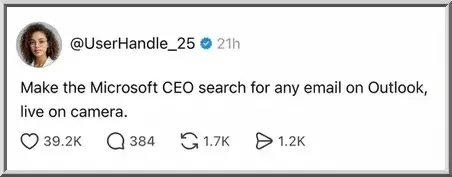
I did do everything that was asked of me during the migration to Exchange Online. Not only that, but I even learned some of the features that Exchange Online has that GroupWise will never have. But man, search in Exchange / Outlook sucks. It should be an embarrassment to all of management at Microsoft.

I also ran the project to get rid of Proofpoint to go all-Microsoft. We lost capability there too. But even though it sucked, I did what I was told.


My retirement going-away lunch was great. My co-workers were super kind. They got me a Raspberry Pi 5 with 8 GB of RAM. I hope they didn’t have to buy it new, because the price of RAM today is ridiculous, and it would have been too much money.

Another gift was a whole collection of Buc-ee’s steak grilling spices. I love it! I’ve never been to a Buc-ee’s yet, but I’ve been told that they are as large as a K-Mart used to be.

The cards people signed were enough to make a grown man cry.

I will be forever grateful for the path God put me on that let me be “The GroupWise Guy” for my employer for so many years.

Las Vegas Monorail

TL;DR: It started off bad due to poor software and ended up bad for unknown reasons.

I went to Las Vegas as a birthday gift for myself, and (so far) all I got was resentments.

Once I got there, my mood turned sour when I tried to use my mobile ticket on the Las Vegas Monorail. I paid $24 for two days of rail pass, but the gate denied me my first day. The software scanned the barcode I was showing on my phone, it claimed the ticket (and the money) and then … did NOT open the gate. So I tried the ticket again, and it barked at me that I was trying to use the ticket “too soon” although clearly nothing checks that the gate had been opened or not.

I went back to my room and checked their website from the laptop I brought. Now I got conflicting information: apparently, just scanning a barcode on a cell phone is NOT supposed to work – but from a mobile wallet it will. Their web page said something about combating fraud due to images shared by people. Oof. I had not printed the piece of paper, and now it was too late in the evening to find an open print place.

I’d never opened the email from the Las Vegas Monorail on my cell phone, because I don’t do email on my cell phone. Likewise, I also had trouble finding the email from six months ago, but eventually I found it. Back to my cell phone, I use webmail and open the email and then the mobile ticket the email linked to. It has a link I’d never seen before: Add to Apple Wallet.

I’d never seen that link before, because I don’t do email on my iPhone. Whenever I’d opened the email on the desktop, it would say Add to Google Wallet (which irritated me). Their website also touts Google as their partner with Google Pay (more irritation).

Okay, the email on iPhone might work: I click the Add to Apple Wallet button, and it takes me to the page, and … it barks at me that this ticket has ALREADY been claimed as a paper ticket. Damn it!

The next morning, I try the monorail again, and this time the barcode does work.

Okay, so it was all just a big glitch from when they claimed the ticket and fouled up linking that to an “open the gate now” action. And the warnings about not allowing cell phone images instead of paper were wrong.

I try the monorail to get to the show I’m going to see, but of course, casinos are going to route people to where the gambling is – but I need to find Las Vegas Boulevard. I get lost, wander around outside, then inside, then outside again. I’m too hot and eventually call for a Lyft.

One last problem: the iPhone was infuriating by blocking the QR code display every time.

Every time I tried to show the QR code to the turnstile, Apple Wallet took over and preempted it with the NFC “Double-Click the side button to pay”. There are two problems here: 1) To show the QR code, the iPhone screen is facing away from me, so I don’t know that the image of the QR code has been replaced by the image of my credit card with the button prompt madly blinking at me. 2) All weekend, I tried every setting in Apple Wallet that I could think of to turn it off and stop fucking up the boarding pass. NOTHING worked. Finally, on the last monorail trip, I got the inspiration to put the phone into Airplane Mode. That was the ONLY thing that worked to stop Apple Wallet from fucking up the boarding pass QR code.

And OBTW, the monorail broke on that last trip, and what should have taken fifteen minutes took an hour and a half in a jam-packed car. They even sent us north on the southbound car for some reason. With some hindsight, it was comical, but during it, it was quite annoying.


Days later, I’m wondering if the Apple Wallet NFC preemption is what broke the first interaction when the turnstile registered the ticket (claiming it) but failed to open the gate. I’ll never know. But I do know I felt defeated that I’d paid for a two-day ticket and was denied late in the evening that first day.