Admittedly, the way I’ve done things is a little unusual. It’s annoying that my setup broke when Let’s Encrypt changed things, but I understand they can’t test every setup. Still, I was caught off guard and spent a couple of days trying to figure out what went wrong.
What happened is that Let’s Encrypt started issuing certificates where the chain of trust goes up to a new root CA certificate.
That new root CA certificate is not in any of the standard root certificate bundles any of my machines are configured with (yet).
For web browsing clients, this wasn’t a problem, because web browsers work really hard to climb the chain of trust and verify it. They want to look at certificate revocation lists too, so climbing the chain of trust was something they were going to do anyway.
But me, I’ve got Thunderbird configured to pull my address book from my Nextcloud server. Thunderbird is not a web browser. Thunderbird gets really pissy when climbing the SSL chain of trust fails. This is a feature, not a bug!
DITTO the Nextcloud File Sync client.
DITTO (temporarily) iPhone could not sync to Nextcloud via CalDAV. When I didn’t know sync was broken, I added an appointment to my iPhone during a phone call. It never synced and then completely vanished. I’m lucky my brother asked me when the appointment about my mom in the nursing home was supposed to be. I went looking and found the appointment missing from everywhere (so I had to telephone the social worker to find the date and time again) (now CalDAV sync works again).
Further complicating the matter is that I’m getting my wildcard Let’s Encrypt certificates via an ACME client on pfSense. The pfSense scheme works well; every six months I have to update the API key for permission to dink with DNS, but, it works well. After automatically renewing the wildcard cert, pfSense can also run a command to copy the cert files to another machine. I use that machine to hold the certs that I could use on other hosts in my network.
Diagnosing this trouble, the suggestion was to edit the pfSense ACME configuration to add “Preferred Chain: 'ISRG Root X1'” – which I did, but it doesn’t work. During the Issue/Renew phase, I could see the command line that the acme.sh script was running, and it included –preferred-chain 'ISRG Root X1' and everything appeared to work correctly. But when I download the CA file, it says it is:
subject=C=US, O=Let’s Encrypt, CN=YR1
issuer=C=US, O=ISRG, CN=Root YR
I specifically asked for X1 and I got YR. Sigh.
I thought I had it solved by specifying SSLCertificateChainFile in the Apache config, but Thunderbird is still barking at me.
It does appear that adding SSLCertificateChainFile to the Apache config did fix the Nextcloud File Sync client.
The Thunderbird fix was to add the .ca file to the authorized servers certificate store:
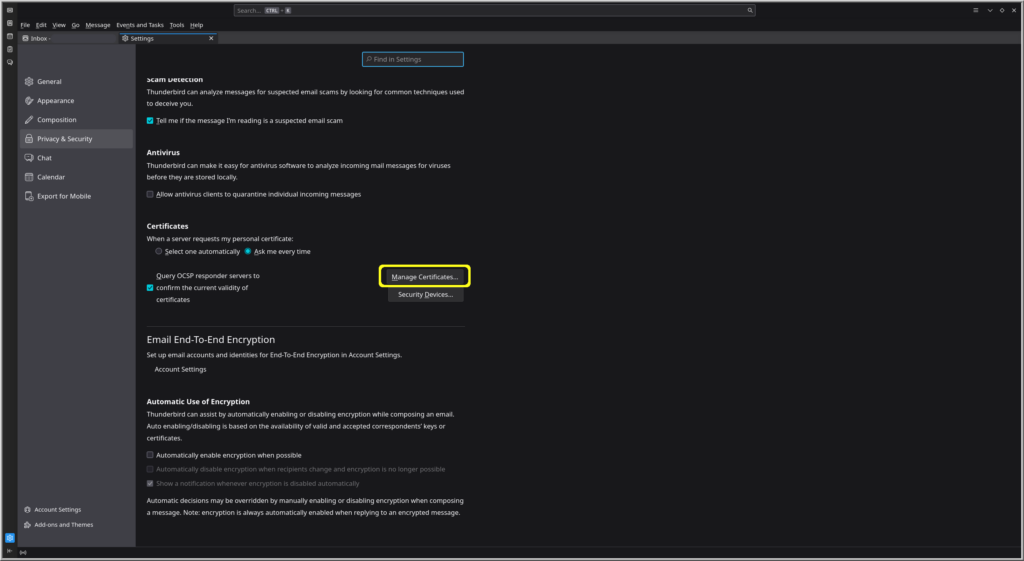
Thunderbird > hamburger / pancakes menu in the upper right corner > Settings > Privacy & Security > Security > Certificates:
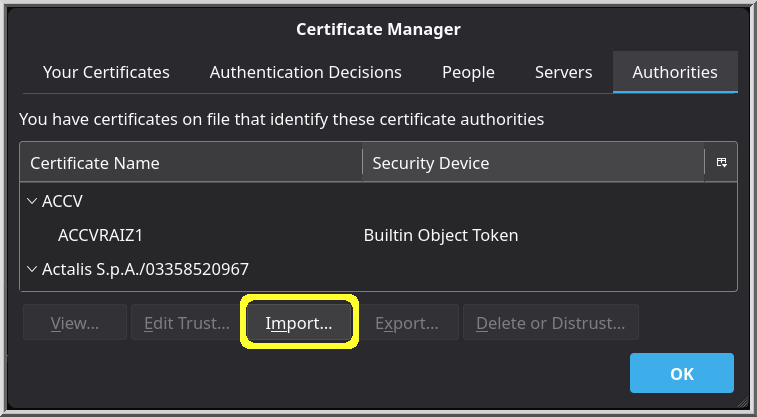
Then, on the Authorities page, choose Import. I had to change the drop-down in the file picker to allow all files, because .ca files aren’t normally something one would (have to) import.